
New Feature Announcement: PR Secrets Scanning and Secrets in Head
.png)


.png)
Hardcoded secrets can be one of the hardest backlog risks to act on. Prioritizing hardcoded secret risks requires validating expiration dates and data exposure, while mitigating them means tracking where they are in code. Mitigating without this detail could mean partial remediation or detrimental impact to production environments. Arnica's latest Secret-facing features offer solutions to these problems.
PR Secrets Scanning
The problem it solves
Arnica's on-push scanning prioritizes early action for critical secret risks, but for those secrets that cannot be fully validated without a human in the loop, PR comments are crucial to ensure action. Most teams set policies to auto-mitigate validated secrets on push but left non-validated secrets for pull request alerts, since blocking every push for an unverified secret created too much friction. That meant a whole class of secrets never got reviewed before hitting the main branch.
Increases in agentic development increase the frequency of this scenario. The volume of code that skips the push phase and goes straight through to review got much harder to manage manually. Developers expect to see feedback at the PR stage, and without it, secrets may go unnoticed.
What’s New with PR Secrets Scanning
With our most recent release, you can now detect and act on secrets during the pull request itself. When a secret appears in a PR, Arnica can post a comment, fail the status check, and block the merge. It runs alongside your existing push policy meaning you can mitigate push for critical risk and review lower risks as part of your pull request review process.
A common setup: keep auto-mitigating validated secrets on push and add a PR block for anything with a validation status of none. Secrets that need a human decision to get flagged before they merge.
What this means for customers
If you’re running a CLI based or instanced based scanner to identify hardcoded secrets in your PR process, this may be the time to revisit your tool stack and consolidate. PR secrets scanning is now fully included with your Arnica account.
Secrets In Head
The problem it solves
Secrets backlogs are notoriously hard to work through. When a developer sees a valid AWS secret in a findings list, the immediate questions are: can I just rotate this, or will that break production? How many products or repos does this secret live in?
Before this update, answering that question required a manual dig through Git history. Most developers skipped it, so the findings sat unresolved.
What’s New with Secrets in Head
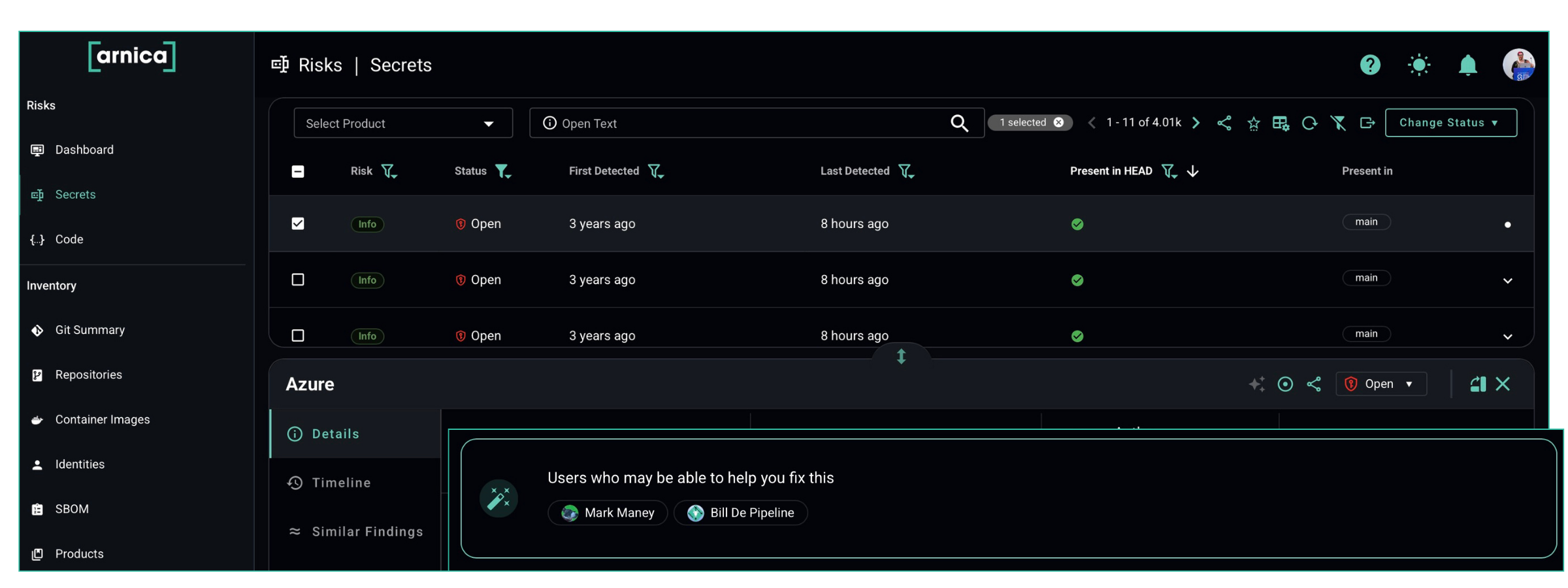
The Secrets page now shows two new columns: Present in Head and Present In. Together they tell you whether a secret exists in the current HEAD commit of a production branch, or only in historical commits.
- Not present in head means the secret is not in any code marked as a production or SLA branch in Arnica. You can rotate it without touching production. In many cases, that turns a finding that looked complicated into a five-minute fix.
- Present in head means the secret is live in the codebase. You need to cycle it, update the code to reference a vault instead, and verify nothing breaks before closing the finding.
Arnica groups identical secrets across multiple findings. If the same secret appears in five places, you can see that at a glance and close all five in one action, accounting for production impact in all locations.
Why this matters in practice
The triage path is completely different depending on whether a secret is in production branches or only in history. Without this information, developers are forced to investigate every finding before they can decide what to do next. That friction is what keeps backlogs stuck. Surfacing these details upfront removes the investigation step entirely for a large share of findings.
Questions?
Want to know more? Looking to adopt this feature today? Reach out to your Arnica customer service rep or schedule some time to talk to us. Both features are live now.
Reduce Risk and Accelerate Velocity
Integrate Arnica ChatOps with your development workflow to eliminate risks before they ever reach production.