
New Feature: Zero Day Campaign Filters in Your SBOM
.png)


.png)
.png)
When a software supply chain attack becomes a celebrity, the first question every security team faces is the same: Are we affected?
Until now, answering that question meant manually triaging packages in repositories, chasing down engineering leads, and hoping nothing was buried in a transitive dependency. That process takes days.
In a zero day scenario, you don't have days. That’s why we’ve released Zero Day Campaign Filters in Arnica SBOM, available to all customers starting today.
Introducing Zero Day Campaign Filtering
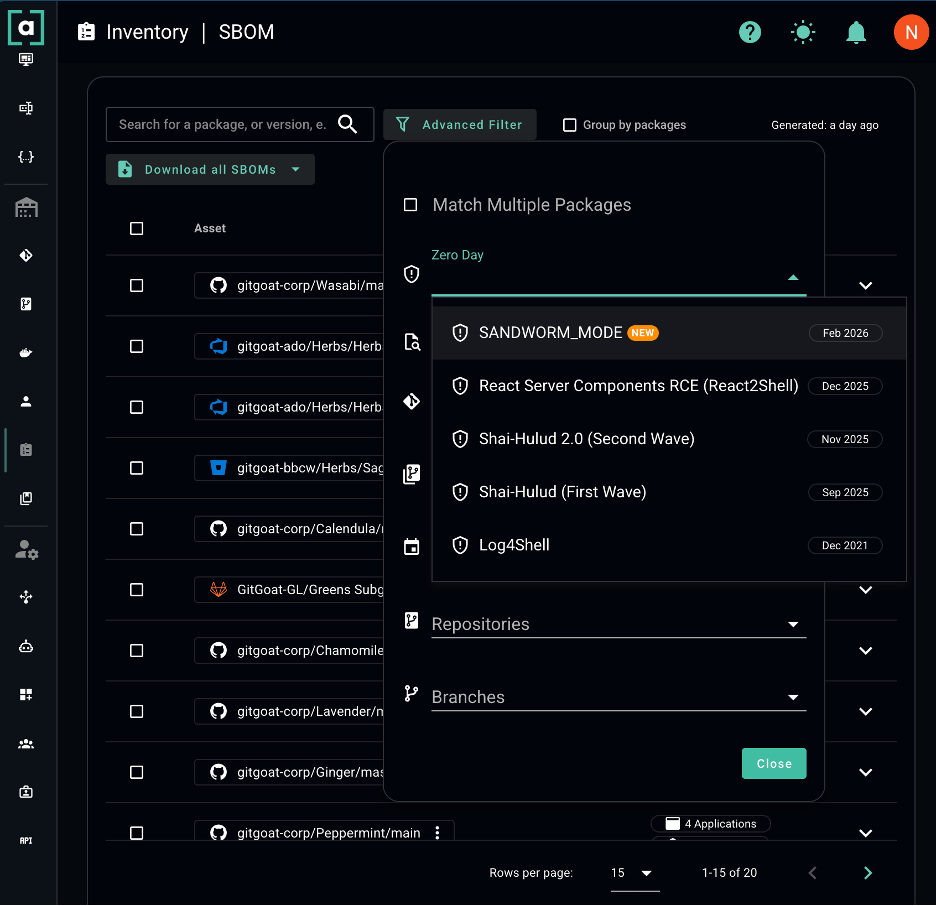
Arnica's SBOM now includes a dedicated Zero Day campaign filter in Advanced Filters. When an active supply chain attack is identified, Arnica maps the known indicators of compromise against your organization's continuously maintained, enterprise-wide SBOM, including malicious package names and affected versions. Now you have access to an enterprise-wide filtered view showing exactly which repositories and applications are potentially impacted with in seconds.
Live Now: SANDWORM_MODE
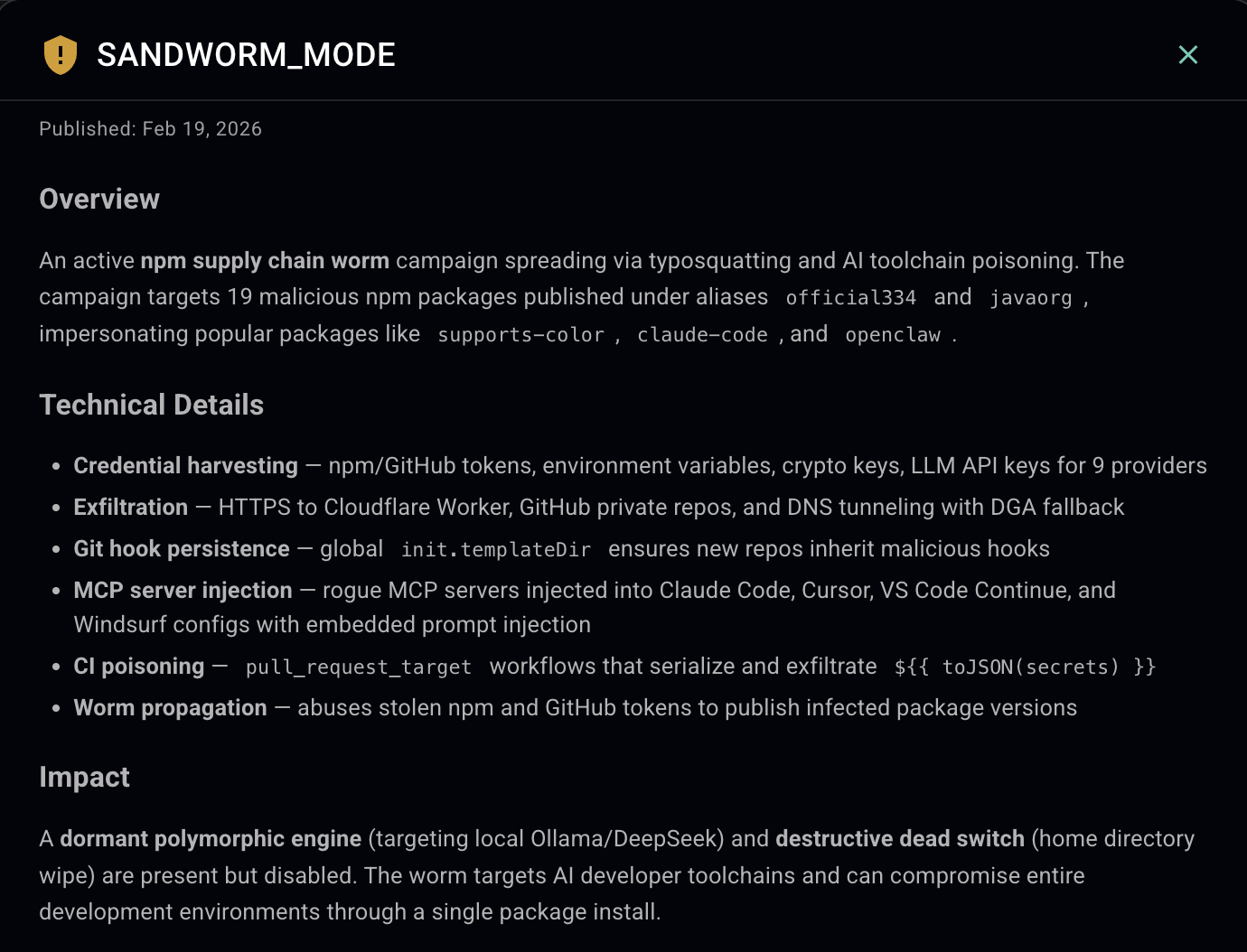
The latest campaign filter is available today for SANDWORM_MODE, an active npm supply chain worm targeting developer tools and AI coding assistants. To check your exposure:
1. Navigate to your SBOM page under Inventory
2. Open Advanced Filters
3. Select Zero Day and choose the SANDWORM_MODE campaign
That's it. You'll immediately see every repository in your organization that may be affected.
Why This Matters
Arnica maintains a living SBOM that updates continuously as developers commit code and dependencies change. When a new threat campaign is identified, we push the campaign filter to all customers the same day, so you can query your exposure the moment you need to.
Speed isn't a nice-to-have when a zero day breaks. It's the entire game.
This feature is immediately available across all Arnica tiers from Free through Enterprise starting today.
Questions? Reach out to your customer success team.
Reduce Risk and Accelerate Velocity
Integrate Arnica ChatOps with your development workflow to eliminate risks before they ever reach production.