
Java4Shell: Affected Versions, Fixes, and Where to Look First


Most "are we affected?" questions start with a dependency search. Java4Shell and other runtime vulnerabilities force further investigation.
CVE-2026-114938 lives in the Java runtime itself, not in a library your code imports. The JVM isn’t a dependency in pom.xml or build.gradle (they can define the required JVM version range, but not what brings it to production as a dependency), so a source based SBOM dependency search alone won’t flag it. There are clues in your Dockerfiles, Helm values and Terraform (that agentic pentest will use to verify!), but only a container image scan can confirm the exact JVM build.
That leaves security teams with a harder question than usual: where is Java actually running, and on what?
What happened
On November 17, 2026, Oracle and the OpenJDK Vulnerability Group patched a heap overflow in the HotSpot JVM's hardware-accelerated Base64 decoder. Word of the bug leaked before the planned disclosure adding risk to an already wide-spread vulnerability. To their credit Calif (the firm that found it) waited to publish its write-up immediately after the exploit was patched.
The flaw is in the hand-written AVX-512 assembly that the JIT compiler swaps in once Base64 decoding runs hot. A malformed input with stray padding at the end makes the routine miscalculate how much it should write. It then writes roughly 62 bytes past the end of the output array. Java rejects the input a moment later, but the neighboring heap object is already damaged.
Base64 carries login headers, tokens and uploads, so that code often runs before a user has authenticated.
Oracle and OpenJDK rate it 8.1 under CVSS 3.1. Calif rates it 9.2 under CVSS 4.0 and reports heap memory disclosure and remote code execution, including before login on default installs of Keycloak, Jira, Confluence, Artifactory, Jenkins and PingFederate. Some independent analyses reproduced only a JVM crash. Calif has published a working trigger for the overflow and is holding back its product-specific exploits. No exploitation in the wild had been reported as of November 17.
Are you affected?
A workload is exposed only when all three of these are true:
- An affected JVM. OpenJDK 17.0.6 or later, including the 21, 25 and 27 lines, from any vendor: Oracle, Temurin, Corretto, Zulu, Microsoft, Liberica, SapMachine and Red Hat all share the code.
- A CPU with AVX-512 VBMI. That means x86-64 chips such as Intel Xeon Ice Lake and newer, or AMD Zen 4 and newer. ARM64 is not affected.
- Untrusted Base64 reaching the decoder. The basic and URL decoders in
java.util.Base64are the path in.
Affected versions
- Java 17: 17.0.6 through 17.0.21 are affected. Oracle’s fixed build is 17.0.21.1.
- Java 21: versions through 21.0.13 are affected. Oracle’s fixed build is 21.0.13.1.
- Java 25: versions through 25.0.5 are affected. Oracle’s fixed build is 25.0.5.1.
- Java 27: versions through 27.0.1 are affected. Oracle’s fixed build is 27.0.1.1.
- Java 8: only Oracle’s performance build 8u511b33-perf is affected. Oracle’s fixed build is 8u513-perf.
Standard Java 8, Java 11 and Java 17.0.0 through 17.0.5 don't contain the vulnerable decoder. Other vendors ship fixes on their own schedules and version labels, so take the fixed build from your vendor's advisory. Versions here follow the Oracle and OpenJDK advisories and the Upwind and Qualys write-ups.
Why this one is hard to find
The supply chain attacks of the past year mostly arrived through package registries. A hijacked npm or PyPI release shows up in a lockfile, and an SBOM built from source will match it.
Java4Shell arrives a different way. The JDK comes from a container base image, an OS package, or a runtime bundled inside a product. A source-derived SBOM that says "Java 17" tells you nothing about the update level, the vendor, or the build.
The hardware condition adds a second blind spot. The same image can be exposed on one node and safe on the next, depending on the CPU underneath it. A workload that is fine today can become exposed after an instance resize.
What to do now
- Inventory the JVM each service actually runs. Check the live process and the container image, not the default
javaon a shell path. - Patch the runtime. Move to your vendor's fixed build, rebuild every image that bundles Java, and restart every Java process.
- Use a stopgap where patching has to wait. Starting the JVM with
-XX:-UseBASE64Intrinsicsturns off the vulnerable decoder on any architecture, at some cost to Base64 performance.-XX:UseAVX=2also works, but only on x86-64; a JVM on ARM won't start with it. - Start with identity and CI/CD. Internet-facing identity providers, build servers and artifact repositories on affected CPUs come first.
- Watch for attempts. Look for bursts of
IllegalArgumentExceptionfrom the Base64 decoder, Base64 tokens ending in=whose length isn't a multiple of four, and unexplained JVM crash files.
Those signals don't prove compromise, and a quiet log doesn't prove safety. A reverse proxy or WAF rule is not a reliable control here either. The patch is the fix.
How Arnica helps
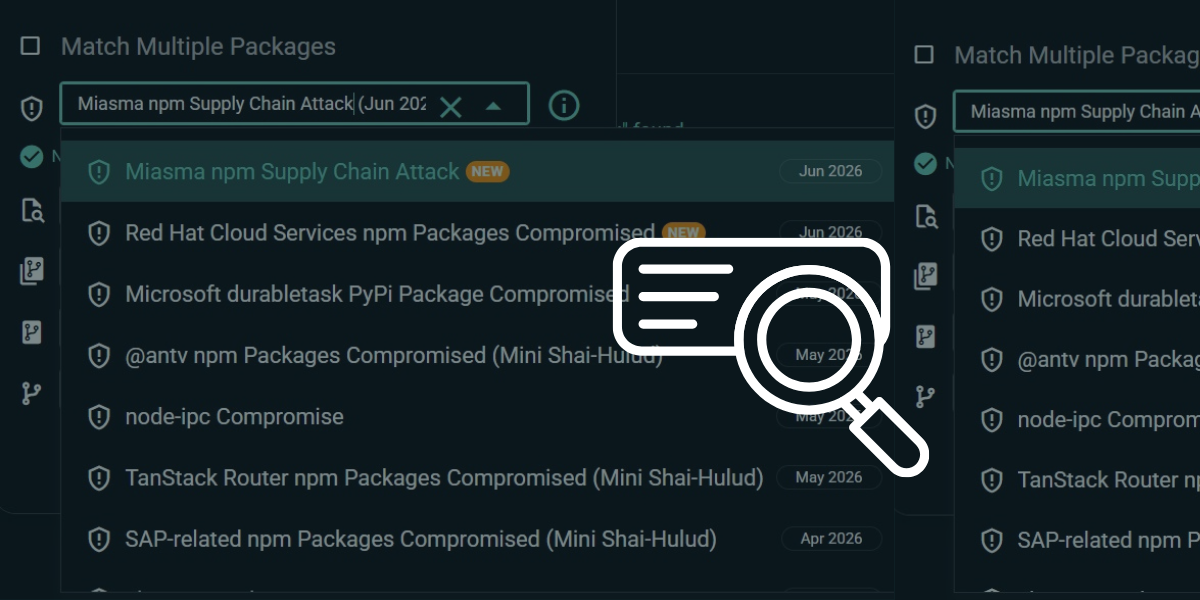
In June we released the Supply Chain Attack Assessment, a single page in Arnica for answering "are we affected?" when a new threat lands. It shows which affected third-party packages you use and where they sit in your environment.
We've published an advisory for Java4Shell to that page, and we've marked it as not visible in a source SBOM. That label matters. For a hijacked package, a clean result means you're clear. For a runtime flaw like this one, a clean dependency search only means the answer is somewhere else: in your base images, your hosts and the runtimes your vendors ship.
Other critical Arnica features help close that gap. Container image mapping and scanning ties the images you run back to the repositories that build them, unearthing packages introduced in base images that cannot appear in source-code SBOM artifacts.
Arnica's Agentic Pentesting tests the live application, where it can surface a CVE that isn't in your SBOM at all, and test other dependencies which enable exploitation in production.
If Java runs anywhere in your environment, start by identifying which images and deployed environments include the impacted versions, then test for exploitability based on all three of the required deployment parameters.
Frequently Asked Questions
What is Java4Shell (CVE-2026-114938)?
Java4Shell is a heap overflow in the HotSpot JVM’s hardware-accelerated Base64 decoder, patched by Oracle and OpenJDK on November 17, 2026. A malformed Base64 input with stray padding at the end makes the decoder write roughly 62 bytes past the end of its output array, damaging the neighboring heap object.
Which Java versions are affected by Java4Shell?
OpenJDK 17.0.6 through 17.0.21, 21 through 21.0.13, 25 through 25.0.5, and 27 through 27.0.1 are affected, from any vendor. On Java 8, only Oracle’s performance build 8u511b33-perf is affected. Standard Java 8, Java 11, and Java 17.0.0 through 17.0.5 don’t contain the vulnerable decoder.
How do I know if my workload is exposed to Java4Shell?
A workload is exposed only when three things are true: it runs an affected JVM, it runs on an x86-64 CPU with AVX-512 VBMI (Intel Xeon Ice Lake and newer, or AMD Zen 4 and newer), and untrusted Base64 reaches the basic or URL decoder in java.util.Base64.
Is Java4Shell exploitable on ARM?
No. ARM64 is not affected, because the flaw is in AVX-512 assembly that only runs on x86-64 CPUs with AVX-512 VBMI.
How do I fix Java4Shell?
Move to your vendor’s fixed build, rebuild every image that bundles Java, and restart every Java process. Oracle’s fixed builds are 17.0.21.1, 21.0.13.1, 25.0.5.1, 27.0.1.1 and 8u513-perf. Other vendors use their own version labels, so check your vendor’s advisory.
Is there a workaround if I can’t patch Java4Shell right away?
Starting the JVM with -XX:-UseBASE64Intrinsics turns off the vulnerable decoder on any architecture, at some cost to Base64 performance. -XX:UseAVX=2 also works, but only on x86-64; a JVM on ARM won’t start with it. A reverse proxy or WAF rule is not a reliable control.
Why doesn’t a dependency scan or SBOM find Java4Shell?
The flaw is in the Java runtime itself, which pom.xml and build.gradle don’t declare. The JDK comes from a container base image, an OS package or a runtime bundled inside a product, so a source-derived SBOM shows nothing about the update level, vendor or build.
Is Java4Shell being exploited in the wild?
No exploitation in the wild had been reported as of November 17, 2026. Oracle and OpenJDK rate it 8.1 under CVSS 3.1. Calif, which found it, rates it 9.2 under CVSS 4.0 and reports remote code execution before login on default installs of several products. Some independent analyses reproduced only a JVM crash.
Test what your SBOM can’t see
A clean dependency search won’t tell you whether Java4Shell is reachable in production. Arnica Agentic Pentesting tests the live application, using code, cloud, runtime and business context to prove which risks are exploitable. Every finding comes back confirmed or debunked, with the steps the agent took.
> Learn more about agentic pentesting
> Evaluating agentic pentesting tools? Start here
Try Arnica and activate your pipelineless security in seconds.
Address 92% of risks before they ever reach production.
Book a demo